01
DHIVEHI & ENGLISH
Your language. Your words.
Add and edit your Dhivehi text with right-to-left input, alongside your English documents.
Dhivehi and English, in one Windows PDF workspace.
Right-to-left typing. Faruma support when installed. A license you keep.
Good work starts with a little clarity.
A place for your thoughts. A clearer view of the details.
Every page is a new possibility.
Less paperwork.
More possibility.
INTERACTIVE DESIGN PREVIEW · Try the tabs above
FOR THE WORK THAT MATTERS TO YOU
A LITTLE MOTION. A LOT OF POSSIBILITY.
A closer look at everyday PDF work.
Illustrated demonstrations of Akuru’s tools.
A sweep of colour. A clearer point of view.
Good work starts with a little clarity.
Keep the details in focus.
Make every important word count.
Bring a little colour to your work.
Animated product illustration. Your files are never uploaded to this demonstration. Original-text editing depends on the PDF and its fonts.
DHIVEHI DESERVES THE SPOTLIGHT
ދިވެހި ބަސް
For the forms, notes and everyday documents you work with in Maldives. Bring Dhivehi and English into the same PDF workspace.
Add Dhivehi text with right-to-left input, then edit and position your added text on the page.
Akuru prefers Faruma for Dhivehi when it is installed on your Windows computer.
Fill supported PDF form fields and check the saved result in another reader.
Original-text editing depends on the PDF and its fonts. On scanned pages, add text over the page; recognition of scanned Dhivehi text is not included.
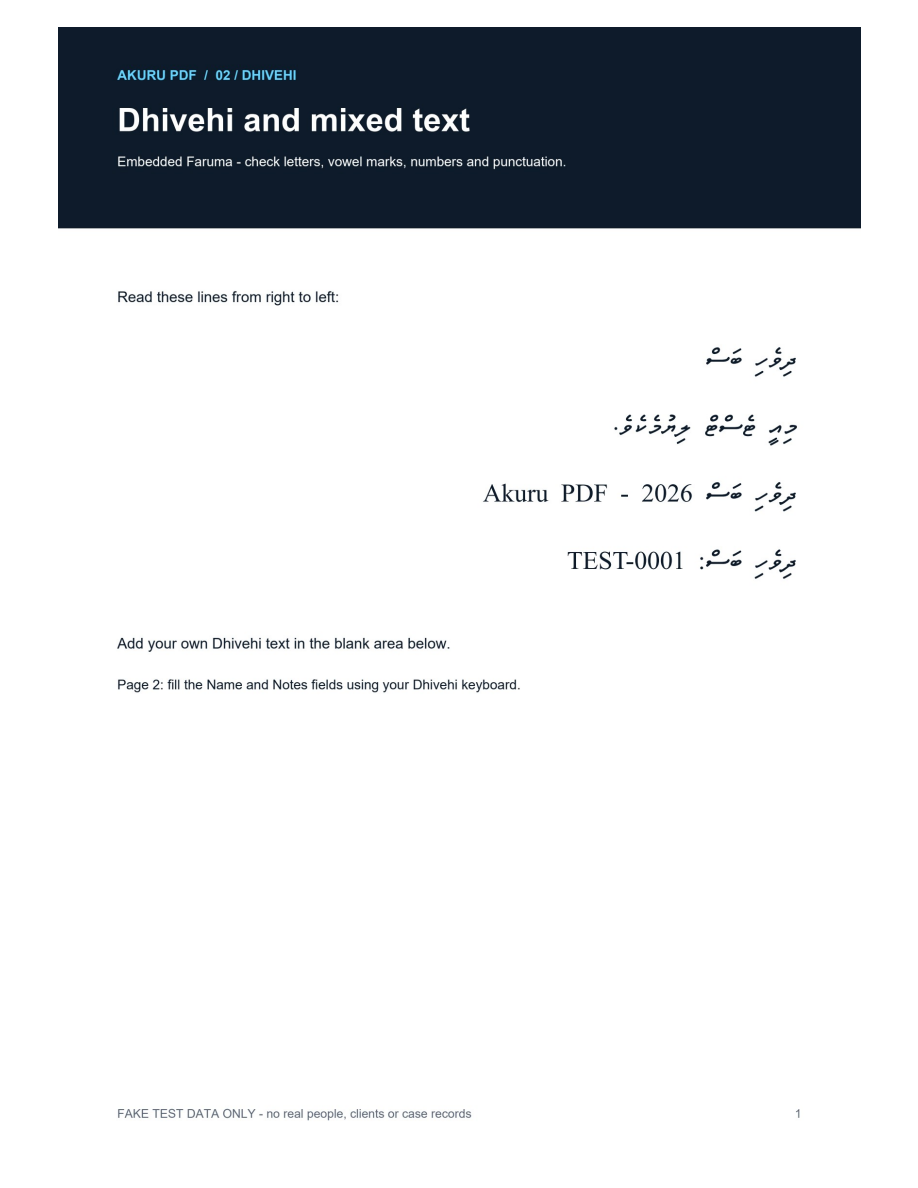 View full size
Saved-and-printed output from our earlier Dhivehi tests.
Non-confidential sample data. This is a real PDF rendering.
YOUR EVERYDAY, UPGRADED
From the first note to the final document.
The tools you need, right where you need them.
DHIVEHI & ENGLISH
Add and edit your Dhivehi text with right-to-left input, alongside your English documents.
EDIT & ANNOTATE
Add text, highlight what matters and leave notes that move the conversation forward.
ORGANIZE
Merge, extract and reorder. Bring scattered pages into one clear, considered document.
PROTECT
Redact sensitive details and inspect hidden content before a document leaves your hands.
FILL & SIGN
Fill forms and place your visual signature, without the print-and-scan routine.
LEGAL BUNDLES
Assemble, index and review your document bundles in one focused workspace.
YOUR WORK. YOUR TERMS.
A one-time purchase for your edition.
A little more freedom for everything you do.
A LITTLE MORE CLARITY
You can add Dhivehi text, edit your added text and fill supported form fields. Editing original text depends on how the PDF was made and which fonts it uses. Scanned Dhivehi text recognition is not included.
Akuru supports and prefers Faruma for Dhivehi when it is installed on your computer. Faruma is not bundled with this website or the current preview installer.
Akuru PDF is a native Windows desktop application. This website will handle downloads, accounts and license purchases. Your PDFs are edited on your computer.
No. Your purchased edition stays usable permanently, including its release-year updates. Later-year editions are optional purchases, with a 50% genuine-owner upgrade discount.
Ordinary PDF work continues offline after activation. Account verification, initial activation and transferring a computer registration require an online or supported offline verification process.
The licensed pilot is being prepared. Public downloads and purchases will open after activation, publisher signing and wider Windows testing are ready.
MAKE ROOM FOR WHAT’S NEXT
A more thoughtful way to work with PDFs.
Discover Akuru PDF Licensed pilot in preparation · Public purchases not yet open